
Tech Tip: Take Back Control of Your Workday

It’s easy to underestimate just how much notifications can interrupt your day. Emails, pop-ups and alerts constantly compete for your attention, and most applicable enable them by default, whether you need them or not.
Taking a few minutes to review your settings can make a noticeable difference, helping you stay focused without missing anything important.
Reduce Unnecessary Notifications
On Windows, you can quickly take control of what gets through:
- Open Settings > System > Notifications
- Turn off alerts you don’t need to see instantly
- Enable Focus Assist to silence interruptions during meetings or deep work
You’ll still receive messages – they just won’t demand your attention at the wrong time.
Speed Up Outlook by Clearing the Clutter
If Outlook feels slow to open or search, it’s often carrying more than it needs. Over time, large volumes of emails and attachments can impact performance.
A quick clean-up can help:
- Archive older emails (File > Tools > Mailbox Cleanup)
- Empty your Deleted Items and Junk folders
- Sort by size and remove large attachments you no longer need
- Close any shared mailboxes you’re not actively using
A lighter mailbox not only runs faster but also makes it easier to find what you need, when you need it.
If performance is still lagging, our team is always here to help diagnose the issue and get things running smoothly again.
Still Experiencing Slow Performance?
Get in touch – we’re here to make IT faster, simpler, and more reliable.
Still Experiencing Slow Performance?
Get in touch – we’re here to make IT faster, simpler, and more reliable.
Other Articles & Blogs
Unity News: Awards, Growth and New Faces
Unity Update: Awards, Growth and New FacesAs we step into a new month, we’re pleased to welcome three new additions to the Unity team: Johanne, Lynsey and Darren. Each brings their own specialist expertise, along with a shared focus on supporting our customers and...
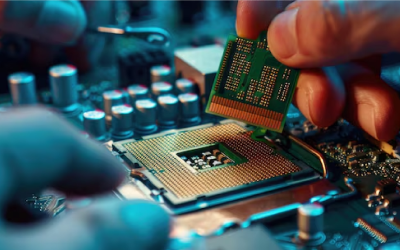
5 Reasons Why Keeping Your IT Hardware Up to Date Matters
5 Reasons Why Keeping Your IT Hardware Up to Date MattersOutdated IT hardware doesn’t always fail dramatically. More often, it quietly impacts performance over time – slowing systems, limiting capabilities, and increasing risk. While these issues can seem minor in...

How Remote Support Has Evolved to Meet Modern Workplace Demands
The Evolution of Remote Support in the Modern Workplace For SMEs in particular, this shift is not just technical, it has direct impact on operational continuity, regulatory compliance, and overall business resilience. As working environments have become more...