
Reg’s Service Book · Entry 002
7 signs your PC would fail its MOT
Is your business PC still fit for the job, or is it overdue a check-up?
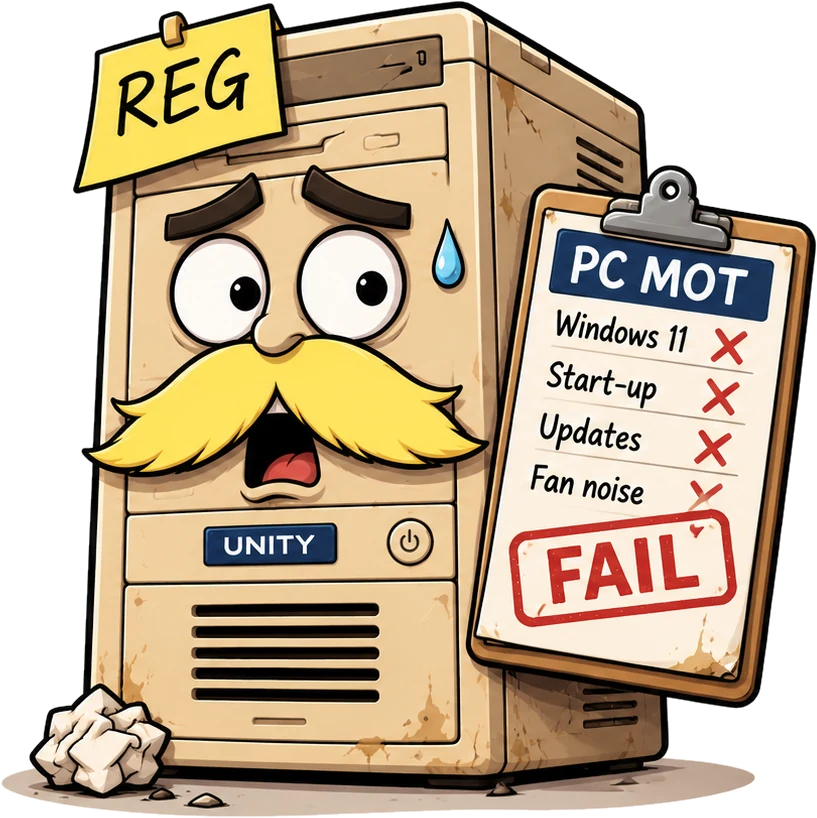
You wouldn’t run a company van without an MOT. Yet the PCs your team relies on every single day can go years without anyone checking them properly.
Take Reg. He’s been the office PC since 2019. He takes ten minutes to start up, his fan sounds like a hairdryer, and he’s fairly sure Windows 11 is “probably a fad”. He switches on every morning, opens emails and copes with the odd spreadsheet, so nobody has asked any questions. But switching on isn’t the same as being fit for the road.
Slow performance, out-of-date software and tired components all cost time, cause unexpected downtime and, in some cases, leave the business open to security risks.
So if your PCs went in for an MOT today, would they pass? Here are seven signs they might not.
1It takes forever to start up
You switch on, make a coffee, come back, and it’s still loading.
One slow start-up is an annoyance. Several people losing the same few minutes every morning adds up to real time across a year.
Common causes include too many apps launching at start-up, low storage, missing updates, or hardware that can no longer keep up with everyday work.
The fixSwitch off start-up apps you don’t need, install available updates and check how much storage is free. If it’s still slow after that, it may be time for an upgrade or a replacement.
Microsoft lists slow start-up and shut-down, and everyday tasks taking longer than they used to, among the signs a PC may need replacing.
2It crashes, freezes or keeps showing error messages
Surprise restarts, frozen apps and blue or black screens shouldn’t be part of anyone’s working day.
Any PC can have the odd software hiccup, but frequent crashes can point to driver problems, failing hardware or overheating. The real cost is when it happens mid-task: unsaved work lost, deadlines missed and someone left unable to do their job.
The fixCheck for software and driver updates, look into any error messages that keep coming back, and get a diagnostic check if the problem continues. Back up important files before any troubleshooting or replacement.
If the same problems keep returning, the PC may be nearing the end of its working life. Microsoft names frequent errors, including blue or black screens, as one of the signs.
3The fan sounds like it’s preparing for take-off
A fan that’s always running, a laptop that’s too hot to rest on your knees, or a desktop that hums all day all deserve a closer look.
Dust, blocked air vents, heavy background processes and ageing parts can all cause cooling problems. Overheating can slow a PC down and, in some cases, contribute to hardware damage.
The fixKeep air vents clear, don’t push desktop PCs tight against walls, and check whether background apps are working the PC harder than they need to. Persistent overheating or unusual mechanical noises should be looked at by a qualified technician.
Microsoft also lists a fan that runs often or makes a lot of noise among the signs it may be time for a new PC.
4You’re constantly running out of storage
Does your team keep seeing low-storage warnings? Are people deleting files just to install an update or save a new document?
Running short of space makes routine maintenance harder and can drag performance down. It can also be a sign that the PC’s original storage no longer suits the way your business works today.
The fixSee what’s taking up the most space, clear out temporary files and consider a storage upgrade. Where business data is involved, make sure it’s securely backed up before anything is deleted or moved.
If storage is always tight, upgrading the drive or replacing the PC with one that has more capacity may be the better long-term answer.
5The battery barely lasts a meeting
For laptops, battery life is a useful health check in its own right.
If a laptop that once lasted most of the day now needs charging every couple of hours, the battery may have worn down. Demanding apps and background processes can also be to blame.
Poor battery life makes working away from the desk harder and leaves people hunting for a charger instead of getting on with their work.
The fixCheck the battery’s health, review power settings and look for apps using more power than they should. Depending on the model and its condition, a new battery may be enough. If the laptop has other problems too, a replacement is often better value.
Microsoft’s PC Health Check app can show how a laptop battery is performing against its original capacity, on devices more than three years old.
6It can no longer get the security updates it needs
This is the most important check of all.
Operating systems need regular security updates to protect against newly discovered weaknesses. Once a system reaches the end of its support, those standard fixes stop.
Windows 10 reached the end of standard support on 14 October 2025. Since then, the only way for a business to keep getting Windows 10 security updates is to pay for Microsoft’s Extended Security Updates (ESU) for each PC. That cover is sold a year at a time, runs for a maximum of three years (ending in October 2028), and the price per device doubles every year. You may have seen that Microsoft extended free ESU to October 2027, but that applies to personal devices only, not PCs used in a business.
In other words, ESU buys time. It isn’t a long-term plan, and keeping a PC because it still switches on isn’t a security strategy.
The fixCheck which operating system every PC in the business is running, find out which ones can move to Windows 11, and plan replacements for those that can’t. It’s also a good moment to review your wider security and backup arrangements.
The National Cyber Security Centre advises keeping all devices up to date, and says that if a laptop or computer is no longer supported, it should be replaced with a more up-to-date model.
7It can’t keep up with the software your team needs
Technology moves on, and so does what we ask of our PCs.
A PC that was perfectly good a few years ago may now struggle with video calls, large spreadsheets, lots of browser tabs, business apps or newer security requirements. You’ll notice apps taking longer to respond, slowdowns when people multitask, or staff finding workarounds because their PC can’t cope.
Compatibility matters too. Windows 11 has minimum hardware requirements, including a compatible processor, at least 4GB of memory and 64GB of storage, Secure Boot capability and TPM 2.0. If a PC can’t meet them, it’s usually time to plan a replacement rather than keep spending money on a machine that’s no longer fit for the job.
The fixCompare the age, specification and condition of each PC with the software and work it actually needs to handle. Sometimes a targeted upgrade, such as more memory or a faster drive, is enough. Sometimes a new PC is better value over the long run.
What happens if your PC fails its MOT?
One warning sign doesn’t automatically mean a PC needs replacing. Plenty of problems can be fixed with maintenance, updates or a new part. The trick is telling the difference between a PC that needs a little attention and one that’s become a liability.
A proper PC MOT looks at five things:
Performance: Does it run everyday apps comfortably?
Reliability: Does it crash, freeze or overheat?
Security: Is its operating system supported and properly protected?
Compatibility: Can it run the software your team needs?
Value: Is fixing or upgrading it better value than replacing it?
Do it regularly, and you can plan PC replacements on your terms instead of waiting for something to fail at the worst possible moment.
Book your free PC MOT
Reg’s MOT is booked. Is yours?
We’ll test every PC in your office, on site, and give each one a clear result:
You’ll get an MOT certificate for every PC and Your Retirement Plan: what passes, what to fix, what retires first and what it costs. There’s no hard sell. The results are yours whether you buy anything or not.
Or call 0330 119 6666 or email sales@unity.world.
Book your free PC MOT and be automatically entered into a draw to win a one-day Fix Day plus £50 credit. No hardware included. Free to enter, one entry per organisation, not open to public sector organisations. Full terms.
Reg’s Service Book