Is Phish fishing for your business?
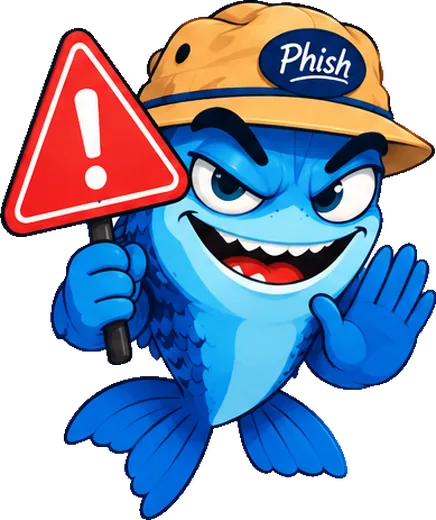
Phish is the sly blue fish behind every phishing email, text and call. He's after your passwords, money, data and access. Unity World helps you spot his bait and keep him out for good.

Six stops to staying off the hook
Each stop has its own page, practical tips and a free download to share with your team.
- 1 · Meet PhishSomething’s fishyWho Phish is and what he’s after.Explore · download the Starter Guide →
 2 · The baitCan you spot the Phish?His favourite traps, and a Phish or Legit? challenge.Explore · download the Red Flags Checklist →
 3 · Getting hookedWhat happens when you take the bait?How one click turns into real damage.Explore · download the After a Click guide →
 4 · Protection PackBuild your Protection PackMFA, email and device security, Cyber Essentials.Explore · download the Essentials Checklist →
 5 · Cut the lineStop. Spot. Report.Three steps for every suspicious message.Explore · download the Guide and A3 poster →
 6 · Stay off the hookHow protected is your business?Take the Cyber Security Health Check and see your score.Explore · download the Cyber Security Health Check →
Spot the bait
5 red flags Phish hopes you'll miss
- 1Unexpected invoices or payment requestsEspecially a supplier “changing bank details” by email.
- 2Password resets you didn’t ask forThe link leads to a convincing fake login page.
- 3Deliveries you weren’t expectingA “held” parcel, a small fee and a link to pay it.
- 4Urgent or threatening language“Act now or lose access.” Pressure is there to stop you thinking.
- 5Senders or links that don’t matchThe name looks right, but the address or web link doesn’t.
 Could Phish catch your business?Take the 10-point Cyber Security Health Check. It takes 2 minutes and gives you a score out of 10.Take the check →
Taking the bait vs staying off the hook
TAKING THE BAIT
- Clicking first, checking later
- Paying “new” bank details from an email
- One password for everything
- Keeping quiet after a click
STAYING OFF THE HOOK
- Stop. Spot. Report. on every suspicious message
- Checking another way, on a number you already trust
- Multi-factor authentication on every account
- Reporting straight away, with no blame
The Protection Pack
Lock Phish out.
- Multi-factor authentication on your key accounts
- Email and device security that catches more bait
- Cyber Essentials, if you need it
- Simple staff habits like Stop. Spot. Report.
BUILD YOUR OWN
Protection that fits your business
Pick what you need, or let us recommend the right mix. Get in touch and we’ll build it with you. [Offer details]
Get in touch to build your Protection Pack →Free guides and checklists
See all downloads →- Phishing Awareness Starter GuideWhy businesses are targeted and the key warning signs.Guide · 2 pagesDownload
- Phishing Red Flags ChecklistA one-page check for everyone in the team.Checklist · 1 pageDownload
- “What Happens After a Click?” GuideFrom click to compromise, plus an incident response checklist.Guide · 2 pagesDownload
Could Phish catch you?
Book a Cyber Security Health Check. A Unity advisor looks at your set-up, finds the gaps and gives you a clear plan, in plain English.
Stop 1 · Meet Phish
Meet Phish. Something’s fishy.
Phish is the sly blue fish behind every phishing email, text and call. He pretends to be someone you trust, a supplier, your bank, Microsoft or even your boss, to get you to bite.
What he’s after
Four things Phish wants from you
Passwords
One login can open your email, files and accounts.
Money
Fake invoices and “new” bank details send payments to the wrong place.
Data
Customer and staff details he can sell or use again.
Access
A way into your systems to cause disruption later.
Why you?
Why small businesses get targeted
Busy teams
People are juggling a lot, so a quick click is easy.
Fewer checks
Payments and account changes often rely on one person.
Supply chains
You’re a route into bigger customers and suppliers.
Not just email
Phish has other tricks too
Texts
A link plus urgency, often about a parcel, bank or refund.
Phone calls
A caller posing as your bank or IT, asking for codes or remote access.
QR codes
A code in an unexpected place that leads to a fake page.
“Boss” requests
An urgent payment or gift cards, “just this once”.
Free download
Phishing Awareness Starter Guide
Free to download, print and share with your team.
- Phishing Awareness Starter GuideWhy businesses are targeted and the key warning signs.Guide · 2 pagesDownload
Stop 2 · The bait
Can you spot the Phish?
Fake invoices, password resets, delivery alerts and urgent links are Phish’s favourite bait. Learn the warning signs, then put yourself to the test.
The Phish Challenge
Phish or Legit?
Four messages. Decide which ones are bait. All examples are fictional.
- From: accounts@supp1ier-invoices.co
Subject: Updated bank details for invoice #4471Hi, our bank has changed. Please use the new account below for today’s payment. It’s urgent, as the old account closes tonight. - From: Microsoft 365
Subject: Your password expires in 2 hoursKeep your current password by confirming your login here: m365-secure-login.net/keep - From: Sarah (Office Manager) · internal
Subject: Team lunch FridayHi all, lunch is at 12:30 on Friday in the usual place. Just reply to me if you can’t make it. - From: Text from +44 7700 900123Your parcel is held due to unpaid postage of £1.45. Pay now to avoid return: parcel-fee-uk.info
The red flag checklist
Before you click, check for these
- 1Unexpected invoices or payment requestsEspecially a supplier “changing bank details”.
- 2Password resets you didn’t ask forThe link leads to a convincing fake login page.
- 3Deliveries you weren’t expectingA “held” parcel, a small fee and a link to pay it.
- 4Urgent or threatening language“Act now or lose access.” Pressure stops you thinking.
- 5Senders or links that don’t matchThe name looks right, but the address or link doesn’t.
Check another way
If a message or call asks for money, codes or a click, confirm it using a phone number or contact you already trust, never the one in the message.
Free downloads
Red Flags Checklist and Challenge Sheet
Free to download, print and share with your team.
Stop 3 · Getting hooked
What happens when you take the bait?
One click can give Phish a way in. From there it’s stolen logins, fake payments and customers receiving scam emails from your real address.
The phishing journey
From click to compromise in 38 minutes
09:02
An invoice arrives
A “supplier” emails to say their bank details have changed.
09:05
Someone clicks
It looks urgent, the team is busy, and the link gets opened.
09:06
A login is stolen
A password is typed into a fake page. Phish now has the keys.
09:40
The money moves
A payment goes to Phish, and customers get fake emails too.
A fictional example.
The damage
What one click can cost
Financial
Payments sent to the wrong account, and the cost of putting things right.
Operational
Locked accounts, lost files and time spent recovering instead of working.
Data loss
Customer and staff information exposed or stolen.
Reputation
Customers receive scam emails sent from your real address.
Scenarios
How it plays out in real businesses
Fictional scenarios based on common attacks.
The “new” bank account
A builders’ merchant pays a regular supplier’s invoice to updated bank details sent by email. The real supplier never sent it.
Off the hook: call the supplier on a number you already have before changing any payment details.
The password reset
A receptionist resets her Microsoft 365 password from an email link. Within an hour, her mailbox is sending scam invoices to customers.
Off the hook: MFA on email means a stolen password isn’t enough on its own.
The urgent favour
An office manager gets a message “from the MD” asking for gift cards for a client today, and to keep it quiet.
Off the hook: check another way. A quick call to the MD ends it.
I’ve clicked. What now?
Speed matters more than blame
- Tell your nominated person or IT provider straight away.
- Disconnect the device if you opened a file.
- Change the password you entered, from a different device.
- Call your bank if money or bank details were involved.
The full checklist is in the guide below.
Free download
“What Happens After a Click?” Guide
Includes the full incident response checklist, with space for your contacts.
- “What Happens After a Click?” GuideFrom click to compromise, plus an incident response checklist.Guide · 2 pagesDownload
Stop 4 · The Protection Pack
Build your Protection Pack
Spotting the bait is a great start. A Protection Pack makes sure one click doesn't cost your business. Pick what you need, or let us recommend the right mix.
Pick what your business needs
“Our IT company has it covered.”
Maybe. We'll help you check what's really included, in plain English.
“We're too small to be a target.”
Invoices, deliveries and password resets reach every business. Small firms are often easier to catch.
Free downloads
Protection Pack Offer and Essentials Checklist
Free to download, print and share with your team.
Stop 5 · Cut the line
Stop. Spot. Report.
Three simple steps for every suspicious email, text or call. Use them every time and Phish goes home hungry.
The 3-step process
One habit for the whole team
Stop
Don’t click, reply or open attachments. Pause before acting on urgency.
Spot
Check the sender, links and tone against the Red Flags Checklist.
Report
Send it to the nominated person or team so others can be protected.
Part of Spot: check another way
If a message or call asks for money, codes or a click, confirm it using a phone number or contact you already trust, never the one in the message.
Employee checklist
Can you tick all five?
The Phish Challenge
What would you do?
1. A text says your parcel is held and asks for a £1.45 fee. What do you do?
Stop first. Unexpected parcel, a small fee and a link are all red flags.
2. “Your bank” calls and asks you to read out the code they’ve just texted you.
Your bank will never ask for a code. Check another way, on a number you already trust.
3. You clicked a link and typed your password before spotting the red flags.
Report it. Speed matters more than blame, and nobody gets in trouble for reporting.
Free downloads
Stop. Spot. Report. Guide and poster
Free to download, print and share with your team.
Stop 6 · The Cyber Security Health Check
How protected is your business?
Could Phish catch you? Tick each one that’s true for your business today. Two minutes, ten questions, one honest score.
Free download
Cyber Security Health Check
The printable version, with twelve questions, your score and a campaign recap.
- Cyber Security Health CheckTwelve questions to find the gaps, with your score and a recap.Self-check · 2 pagesDownload
Book a Cyber Security Health Check
Find the gaps before Phish does
A Unity advisor looks at how your business is protected today and gives you a clear, plain-English plan.
- 1We look at your set-upEmail and accounts, devices, your IT support and your team.
- 2We find the gapsThe bait most likely to reach you, and where Phish could get in.
- 3You get a clear planWhat to fix first, in priority order, with no jargon.
Nice catch. Your Cyber Security Health Check is booked in.
Thanks, we’ve got your request. We’ll be in touch within 1 working day to arrange your Cyber Security Health Check.
Back to Don't Take the BaitDownloads
Free guides and checklists
Everything from the campaign in one place. Download, print and share with your team.
Stop 1 · Meet Phish
- Phishing Awareness Starter GuideWhy businesses are targeted and the key warning signs.Guide · 2 pagesDownload
Stop 2 · The bait
Stop 3 · Getting hooked
- “What Happens After a Click?” GuideFrom click to compromise, plus an incident response checklist.Guide · 2 pagesDownload
Stop 4 · Protection Pack
Stop 5 · Cut the line
Stop 6 · Stay off the hook
- Cyber Security Health CheckTwelve questions to find the gaps, with your score and a recap.Self-check · 2 pagesDownload
Thanks – your download is starting
If it doesn’t start, open the PDF here.
Want to know how protected you are? Take the Cyber Security Health Check →