
Servers & Storage · Free Server Health Check
What’s lurking in your server room this Christmas?
Old servers, tangled cables and forgotten backups put your business at risk. Our free Server Health Check finds the problems before they find you. Then we fix them and keep your server room properly supported.
Windows Server 2016 support ends 12 January 2027. --days--hrs--mins--secs
What it means for you- Reduce downtime and risk
- A more resilient business
- UK support from Unity World
- 25+ years' expertise
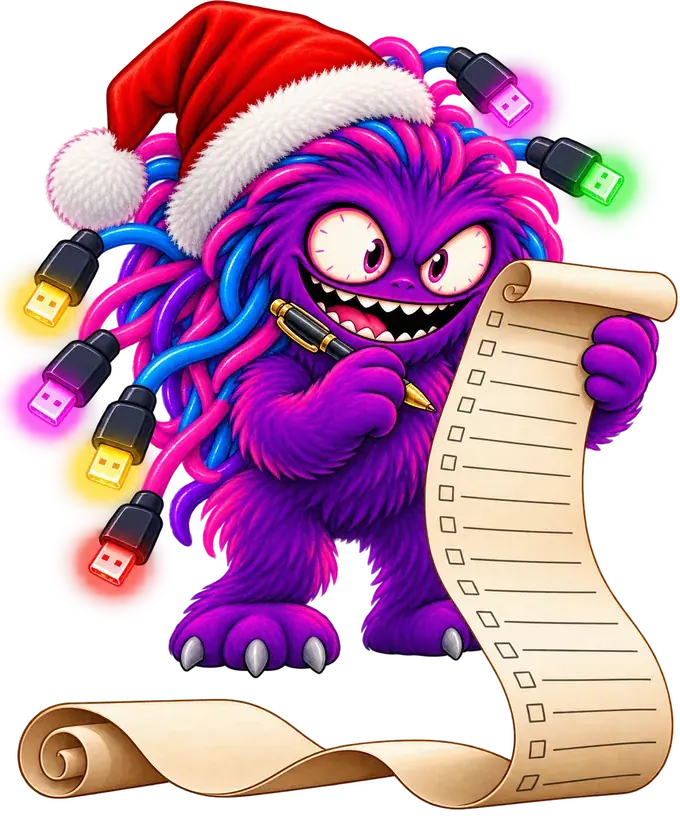
Meet Rack Rascal
He loves old hardware, tangled cables and forgotten backups.
Rack Rascal thrives in outdated server rooms. Everything can look fine on the surface, until it isn't, and then it's downtime, disruption and expensive problems. The longer he's left alone, the stronger he gets.
Signs he's already moved in
- Servers out of warranty or no longer supported
- Backups not working or not tested
- Storage limits filling up or ageing
- Still on Windows Server 2016? Support ends 12 January 2027.
How it works
Find him. Fix it. Sleep easy.
-
1Find him
Server Health Check
We review your servers, storage and backups, and show you what's failing, what's risky and what can wait.
-
2Fix it
Prevention Pack
A new server, fully installed, secured, backed up and monitored, so the risks we found are gone.
-
3Sleep easy
Ongoing support
Monitoring, maintenance and expert help from Unity World, so you always know what you have and who's looking after it.
Step 1 · Find him
Running isn't the same as supported.
Not sure if Rack Rascal is already in your server room? Our free Server Health Check shines a light on what's really going on, with no guesswork and no jargon. If everything's fine, we'll tell you.
- Full server and storage review
- Backup and recovery assessment
- Prioritised recommendations
- Clear, no-obligation report
Free · No obligation · The report is yours to keep
Step 2 · Fix it · The Rack Rascal Prevention Pack
Everything you need for a safer, more reliable tomorrow.
When you buy a new server from Unity World, you don't just get hardware. You get a complete, supported solution that keeps Rack Rascal out for good.
Plan my Prevention PackNot sure you need a new server yet? Start with a free Health Check.

New business server
The right hardware for your business, supplied and configured.
Installation and configuration
Set up on-site or remotely to your requirements.
Security hardening
The latest updates and protection, applied from day one.
Backup solution
Automated backups, monitored so you know they work.
Monitoring and alerts
Proactive issue detection, before problems get bigger.
Ongoing support and training
Warranty, agreed support and expert advice when you need it.
Good to know
Free means free. Here's what to expect.
No obligation
Your report is yours to keep, whatever you decide.
No disruption
We work around your day and agree any restarts first.
No jargon
Plain English, split into what needs doing now and what can wait.
25+ years' expertise
A UK team that looks after servers for businesses like yours.
Is it really free?
Yes. The Health Check costs nothing, and there's no obligation to buy anything afterwards. If you'd like help fixing anything we find, we'll talk you through the options, with no pressure.
Will it disrupt my team?
We work around your day so nobody's held up. If anything needs restarting, we'll agree a time with you first.
What if everything's fine?
Then we'll tell you, and you'll have it in writing. Most people are glad to know either way.
We're on Windows Server 2016. Is it too late?
No, but the sooner the better. Engineers and hardware get busier as 12 January 2027 gets closer, and Christmas takes a chunk out of December.
The Rack Rascal game
Can you catch Rack Rascal?
He’s loose in the server rack. You’ve got 30 seconds to catch him as many times as you can, grab the golden Rascals and power-ups, and leave the healthy servers alone. Then put your score on the leaderboard and challenge your colleagues to beat it.
- 30-second rounds that get faster as you go
- Golden Rascals and power-ups to grab
- A top 10 leaderboard
- Challenge a colleague to beat your score
Free to play on your phone or computer.

Resources
The Rascal Files
Guides and blogs to keep your server room in check, written in plain English.
Free guide
Server Room Survival Guide
Twelve plain-English questions that tell you what your server cupboard has been keeping quiet about. Tell us who you are and it's yours.
Stop Rack Rascal. Sleep easy.
Pick your next step. Each takes about two minutes, and we'll call you within one working day.
- 0330 119 6666
- sales@unity.world
- Brunel House, Middlesbrough, TS6 6JA
Got a question instead?
Not sure which you need, or want to ask about something else? Send us a message.
Thanks, we've got your question.
One of the team will be in touch within one working day. If it's urgent, call 0330 119 6666.

The Rascal Files · File 004 Checker · 1 minute
What’s your Rascal Risk Rating?
Six quick taps. Under a minute. Find out if Rack Rascal has moved into your server room, and what to do about it.
- No forms to fill in
- Your result straight away
- Your top three risks, in plain English
Question 1 of 6
Your result Rascal Risk Rating
What we’d look at first
Your top risks
Free · No obligation · We check all of this, and tell you plainly what needs doing now and what can wait.
Free Server Health Check
Find out what's lurking. Free, no obligation.
We come to you, look over your servers, storage and backups, and give you a plain-English report of what needs doing now and what can wait.
Server 2016 support ends in --days--hrs--mins--secs
Book your free Health Check
Four quick details and we'll call you to find a time.
Thanks, your Health Check request is in.
One of the team will call you within one working day to agree a time. If it's urgent, call 0330 119 6666.
What happens next
- A short callWithin one working day, to agree a time and ask a few questions so we arrive prepared.
- The visitOne of our engineers comes to you and works around your day.
- What we look atHardware and warranty, support dates, storage, backups and restores, power, cooling and cables.
- Your reportPlain English, split into what needs doing now and what can wait. It's yours to keep.
Prefer to talk? Call 0330 119 6666
The Rack Rascal Prevention Pack
A new server, done properly.
Tell us a little about your setup and we'll call you to plan the right server for your business. No pressure, no jargon.
Server 2016 support ends in --days--hrs--mins--secs
Plan your Prevention Pack
About a minute. We'll call you within one working day.
Thanks, we've got your details.
One of the team will call you within one working day to talk through what you need. If it's urgent, call 0330 119 6666.
What's in the pack
- New business server, supplied and configured
- Installation on-site or remotely
- Security hardening from day one
- Automated, monitored backups
- Monitoring and alerts
- Warranty, support and training
Not sure you need a new server yet? Start with a free Health Check.
Prefer to talk? Call 0330 119 6666
Call me back
Rather talk it through? We'll ring you.
Leave your name and number. One of the team will call within one working day to answer your questions. No hard sell.
Request a call back
Two details is all we need.
Thanks, we'll call you soon.
One of the team will ring you within one working day. If it's urgent, call 0330 119 6666.
Good things to ask us
- Is our server still supported, and for how long?
- Do we need a new server, or can ours be upgraded?
- Would our backups actually restore?
- What does a free Health Check involve?
Prefer to talk? Call 0330 119 6666
Microsoft will stop supporting Windows Server 2016 on 12 January 2027. That is just weeks away, and it includes Christmas.
If your business has an on-site server, there is a good chance a Server 2016 machine is still doing important work in the background. It might run your file shares, your logins, your accounts or CRM software, or your backups. Nobody has looked at it in years because it just works.
After January, it will keep working. But it will stop getting security fixes, and that changes everything. This guide explains what is ending, what the risks are, and what your options look like.
What "end of support" actually means
Your server will not switch off on 12 January. It will boot, run and serve files exactly as it does today. What stops is Microsoft's protection.
Windows Server 2016 follows Microsoft's Fixed Lifecycle Policy: five years of mainstream support, then five years of extended support.
This applies to every edition: Standard, Datacenter and Essentials. It also covers the roles running on them, such as Active Directory, DNS, DHCP, file and print, and Hyper-V hosts.
It is not only Microsoft walking away. Backup software, antivirus and line-of-business suppliers tend to drop old operating systems from their support lists too, often faster than Microsoft does.
The risks of staying on Server 2016
Security holes that never close
Any weakness found after January stays open for good. The National Cyber Security Centre warns that flaws in unsupported products can be exploited by relatively low-skilled attackers. Servers are a prime target because they hold everything.
Compliance and insurance problems
Cyber Essentials requires software to be supported and kept up to date, so an unsupported server can cost you certification and the contracts that depend on it. Under UK GDPR, you must keep personal data secure, and the ICO points to Cyber Essentials controls as the baseline. Cyber insurers increasingly ask about unsupported systems too.
Knock-on failures
Older software often depends on the server underneath it. SQL Server 2016 already left support in July 2026, and many 2016-era servers sit on hardware that is approaching ten years old.
Higher costs later
An unplanned migration after a breach or hardware failure costs far more than a planned one. Rushed projects also mean more downtime for your staff and customers.
Your options
Every Server 2016 machine needs one of four decisions. The right one depends on what it does and how old the hardware is.
| Option | Best for | Things to know |
|---|---|---|
| Upgrade to Windows Server 2025 | Servers on hardware with life left in it | Supported until November 2034. In-place upgrades from 2016 are possible, but test your applications first. |
| Replace the server | Hardware five years old or more | New hardware plus Server 2025 resets the clock on both at once. |
| Move to the cloud | File shares, email, simple workloads | Microsoft 365, SharePoint or Azure can remove the need for an on-site server altogether. |
| Buy Extended Security Updates (ESU) | Systems you genuinely can't move in time | Microsoft has announced paid ESU for Server 2016 for up to three years. It is a paid bridge to buy time, not a long-term fix. |
A note on Windows Server 2022: it is still supported, but its mainstream support ended in October 2026. If you are upgrading now, 2025 gives you the longest runway.
Your 5-step checklist before January
- 1Find every Server 2016 machine. Include virtual servers and that box under the reception desk.
- 2List what each one does. Logins, files, accounts or CRM software, backups, printing.
- 3Check your suppliers. Ask your software vendors which server versions they support in 2027.
- 4Check the hardware age. If it is five years old or more, replace rather than upgrade. Five signs your server has had its day.
- 5Book the work now. Engineers and hardware get scarce as the deadline approaches, and December is short.

Not sure what's running in your server room?
You are not alone. Many organisations only find out a server is out of support when something goes wrong.
Unity World's Server Health Check tells you exactly what you have, what is at risk and what to do next, in plain English. We will check your operating systems, hardware age, backups and the software that depends on them, then give you a clear plan to get ahead of 12 January 2027.
More from The Rascal Files
Most business servers are bought, set up and then forgotten. They sit in a cupboard, quietly running your files, logins and line-of-business software, until something goes wrong.
When it does, the instinct is to fix it and move on. Sometimes that is the right call. But patching up a server that is past its best can cost more than replacing it, in repair bills, lost hours and security risk.
Here are five signs your server is ready to retire, and how to decide whether to repair or replace.
5 signs your server has had its day
It's five or more years old
Age isn't everything, but it matters. Most businesses plan to refresh servers every four to five years, and Dell's own guidance argues that shorter cycles keep failure rates low. After five years, warranties have usually expired, spare parts get harder to find, and every component in the box is ageing at the same time.
Disks and parts keep failing
One failed drive is bad luck. Repeated warning lights, failed power supplies or random crashes are a pattern. Backblaze's long-running drive reliability data shows failure rates vary with a drive's age and model. Drives bought at the same time also tend to wear out together, so replacing one part on an ageing server often just moves the problem to the next one.
It's running an unsupported operating system
If your server runs Windows Server 2012 or 2016, the clock has run out or is about to. Windows Server 2016 support ends on 12 January 2027, after which there are no more security patches. The NCSC warns that unsupported systems are an easy target for attackers.
Read: Windows Server 2016 end of support →It can't run the latest software
Upgrading the operating system isn't always an option on old hardware. Windows Server 2025 has stricter hardware requirements, including processor features that some older CPUs lack. Your software suppliers may also stop supporting older servers, leaving you stuck on versions that no longer get updates.
It's slowing your business down
Slow logins, files that take an age to open, backups that overrun into the working day: these are signs your server can't keep up. Staff time lost to waiting adds up quickly. Older servers also use more power and run hotter than modern equivalents, so you pay for that slowness on your energy bill too.
Repair or replace?
If your server shows just one of these signs, a repair or upgrade may buy you time. Two or more, and replacement usually makes more financial sense.
| Repair makes sense when… | Replace makes sense when… |
|---|---|
| The server is under five years old | The server is five years old or more |
| It's still under warranty | Warranty has expired and parts are hard to find |
| It's a one-off fault | Faults keep coming back |
| The operating system is supported | The operating system is out of support, or the hardware can't run a newer one |
| Performance is fine for your needs | Staff are waiting on it every day |
Replacing doesn't always mean buying another box. For some businesses, moving files and applications to the cloud removes the need for an on-site server altogether. The right answer depends on what your server does today.
Not sure which side of the line your server is on?
Unity World's Server Health Check gives you a straight answer. We'll look at your server's age, hardware health, operating system, backups and the software that depends on it, then tell you in plain English whether to repair, upgrade or replace, and what it's likely to cost.
No jargon, no hard sell. Just a clear picture so you can plan and budget.